
HP 204A & HP 204X Toner Cartridges
HP 204A toner cartridges keep your HP Colour LaserJet Pro M154nw, M180n or M181fw printer operating smoothly. We stock both genuine HP toner and cost-effective compatible replacements that deliver crisp text and clear colour prints. Choosing compatible options significantly reduces your overall printing costs while maintaining print output. Our 4.8 Google Star rating shows that our customers consistently receive high-quality cartridges backed by reliable performance.
Printers Compatible with HP 204A & HP 204X Toner Cartridges


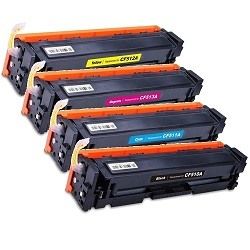


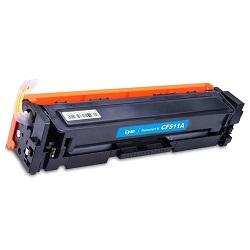
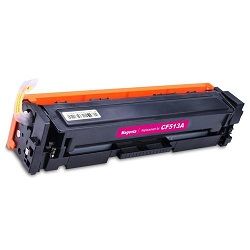
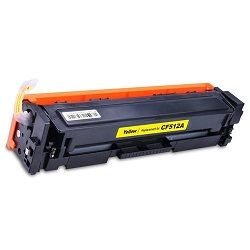
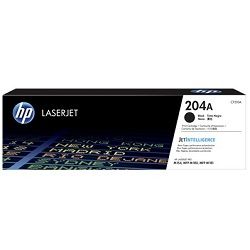
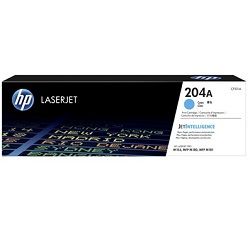

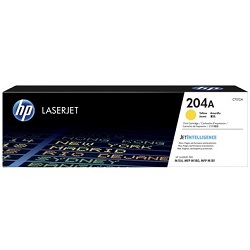
Expected page output and replacement cycles
HP 204A black toner cartridges yield up to 1,100 pages, while cyan, magenta, and yellow cartridges yield up to 900 pages. Yields are tested under the ISO/IEC 19798 standard based on 5% page coverage. Higher colour coverage will proportionally decrease the total number of prints.
| Cartridge Number | Type | Colour | Page Yield | Cost Per Page |
|---|---|---|---|---|
| 204A | Standard | Black | 1,100 | $0.099 |
| 204A | Standard | Cyan | 900 | $0.13 |
| 204A | Standard | Magenta | 900 | $0.13 |
| 204A | Standard | Yellow | 900 | $0.13 |
Cost Per Page = Total Cartridge Price ÷ Page Yield (at 5% coverage). Prices based on Genuine cartridges.
Choosing between genuine and compatible cartridges
Opting for compatible toner cartridges lowers per-page expenses while preserving clear print output. Under Australian Consumer Law, using compatible cartridges does not void your printer warranty. Read our genuine vs compatible guide to evaluate performance differences before ordering.
Best way to stock these cartridges
If you print mostly text documents, individual black toner replacements are ideal. For regular colour document printing, multi-cartridge bundle packs provide complete toner refills at lower outlay. Compatible toner carries a money-back guarantee under our returns policy if you experience performance issues. Free delivery applies on all orders over $99, dispatched quickly from warehouses in Perth, Brisbane, Sydney, Melbourne and Adelaide. Explore our full range of HP toner cartridges to suit your workflow.
Pro Tip
Colour LaserJet Pro printers perform an automatic calibration cycle when new toner cartridges are installed. Replacing colour toners simultaneously rather than individually prevents multiple calibration cycles that consume excess toner.
Genuine & Compatible HP 204A Toner Cartridge Options
Replace the Complete Colour Set
Time to replace them all? The 4-Pack 204A Genuine (from $462.20) includes one of each colour and qualifies for free delivery.
Replace Just One Colour
Running low on a single colour? A single Genuine 204A Black cartridge (from $109.33) replaces just that one.
Save with Compatible Cartridges
Watching the budget? Compatible cartridges cost less than genuine toner, with a single 204A Cyan cartridge from $24.19 or a 5-pack 204A for $125.51 with free delivery.
Stock Up for Frequent Printing
Stocking up in one order means you are not caught short. The 10-Pack 204A Compatible (from $248.46) is the lower-cost way to stock up. Prefer genuine toner? The 8-Pack 204A Genuine (from $914.97) is the official equivalent. Both packs qualify for free delivery.
Frequently Asked Questions
Why do colour toners deplete even when printing mostly black documents?
HP Colour LaserJet printers use small amounts of colour toner during routine calibration and printhead preparation cycles to maintain transfer belt alignment and colour balance, even on black-and-white pages.
Do HP 204A toner cartridges include the drum unit?
Yes, HP 204A toner cartridges feature an integrated drum mechanism, meaning a fresh imaging drum is installed every time you replace a toner cartridge.
Can I mix genuine HP toners with compatible toner cartridges in the same printer?
Yes, you can run genuine HP and compatible toner cartridges side by side without issue, as each colour operates independently within the toner drive assembly.
Is CF510A the same product as the HP 204A Black toner cartridge?
Yes, CF510A is HP's internal manufacturer part number for the 204A Black toner cartridge; both codes refer to the exact same physical cartridge.


