
Epson T7601-T7609 Ink Cartridges
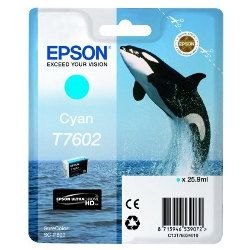
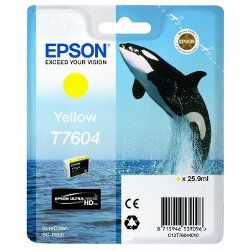
Epson T7601-T7609 ink cartridges deliver professional pigment output across nine individual ink channels for your SureColor SC-P600 printer. Each 25.9ml cartridge contains UltraChrome HD ink engineered to produce deep blacks and wide colour gamuts. Our 4.8 Google Star rating shows that our customers consistently receive high-quality cartridges backed by reliable performance. Replacing individual colours as they deplete minimises wasted ink during fine-art photo printing.



Expected ink usage and page output
Epson T7601-T7609 cartridges use ISO/IEC 24711 and 24712 testing standards for yield benchmarking, though photographic coverage varies significantly based on print dimensions and colour balance. Each 25.9ml capacity unit provides consistent pigment delivery throughout the cartridge life.
Managing replacement cartridges for photo printing
If your work focuses primarily on black and white fine art, stock extra T7601 Photo Black and T7608 Matte Black cartridges to prevent mid-print stops during automated media switching. Photographers printing landscape images will naturally deplete Light Cyan (T7605) and Light Magenta (T7606) faster. Orders process rapidly from our warehouses in Perth, Brisbane, Sydney, Melbourne, and Adelaide. Free delivery applies on all orders over $99. For details on returns, view our returns policy. Browse our full range of Epson ink cartridges for all models.
Pro Tip
When switching between glossy media and matte paper on the SC-P600, the printer automatically clears the line between T7601 Photo Black and T7608 Matte Black. Group your print jobs by media surface type to avoid unnecessary ink flushing during black ink conversion cycles.
Replace Just One Colour
A single Genuine T7608 Black cartridge (from $60.60) lets you replace one colour at a time, without buying a full set.
Frequently Asked Questions
Why does my printer consume Light Black (T7607) and Light Light Black (T7609) when printing colour photographs?
UltraChrome HD nine-colour ink systems use neutral light black inks to smooth tonal transitions, balance highlight detail, and prevent colour shifts across skin tones and neutral greys even in full-colour images.
Can I install a T7608 Matte Black cartridge in the T7601 Photo Black slot?
No, each slot in the T7601-T7609 series is keyed specifically for its corresponding colour channel. The printer manages black ink switching internally through a shared valve while both cartridges remain installed.
What causes some colours in the T7601-T7609 series to run out much faster than others?
Ink consumption depends heavily on image subject matter and paper selection. Fine-art portraiture uses more Light Magenta (T7606) and Light Cyan (T7605) for smooth skin tones, while landscape photography exhausts Cyan (T7602) and Yellow (T7604) more rapidly.
Is T7601 the same as T760100?
Yes, Epson uses T7601 and T760100 interchangeably to identify the standard Photo Black cartridge in the T7601-T7609 series; the trailing zeros represent internal packaging region codes.


