
Epson 503 & Epson 503XL Ink Cartridges
Epson 503 and 503XL ink cartridges fit the Expression Home XP-5200 and WorkForce WF-2960 printers, available in individual CMYK tanks and multi-packs. Choosing high-yield 503XL or compatible options lowers cost per page for daily printing while maintaining crisp text and clear image output. Our 4.8 Google Star rating shows that our customers consistently receive high-quality cartridges backed by reliable performance.
Printers Compatible with Epson 503 & Epson 503XL Ink Cartridges


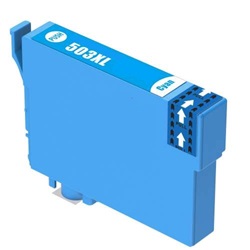
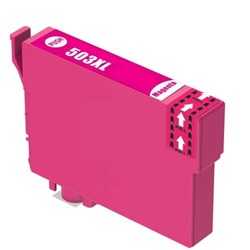
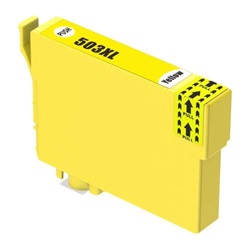
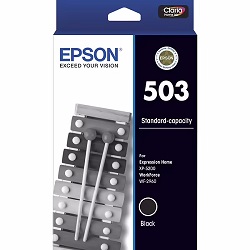
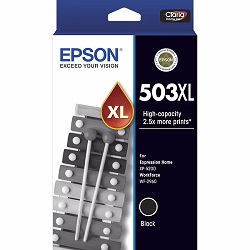

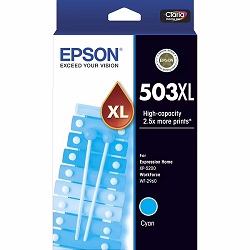

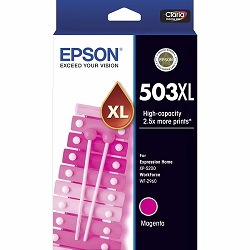
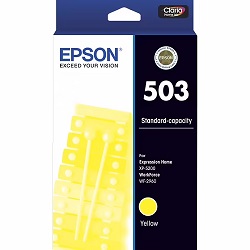

Choose Between Epson 503 & 503XL Ink Cartridges
Print More with XL Cartridges
Want longer between reorders? The 4-Pack 503XL Genuine (from $143.43) gives the same full-colour coverage with a higher page yield per cartridge and also qualifies for free delivery.
Replace Just One Colour
If only one colour has run dry, there's no need to replace the rest - a single Genuine 503 Cyan cartridge (from $18.74) lets you replace only the colour that has run out.
Save with Compatible Cartridges
Compatible cartridges are the lower-cost alternative to genuine ink: a single 503XL Cyan cartridge from $18.50 or a 5-pack 503XL for $91.35.
Stock Up for Frequent Printing
For a busy office printer, buying a bigger pack saves reordering as often. The 10-Pack 503XL Compatible (from $180.78) is the lower-cost way to stock up. Prefer genuine ink? The 8-Pack 503XL Genuine (from $283.93) is the official equivalent. Both packs qualify for free delivery.
Expected page output and replacement cycles
Epson 503 standard cartridges yield 210 black and 165 colour pages, while 503XL high-yield options yield 550 black and 470 colour pages based on ISO/IEC 24711 standard testing. Upgrading to XL cartridges more than doubles print volume between replacements.
| Cartridge Number | Type | Colour | Page Yield | Cost Per Page |
|---|---|---|---|---|
| 503 | Standard | Black | 210 | $0.11 |
| 503 | Standard | Cyan | 165 | $0.11 |
| 503 | Standard | Magenta | 165 | $0.11 |
| 503 | Standard | Yellow | 165 | $0.11 |
| 503XL | High Yield | Black | 550 | $0.071 |
| 503XL | High Yield | Cyan | 470 | $0.076 |
| 503XL | High Yield | Magenta | 470 | $0.076 |
| 503XL | High Yield | Yellow | 470 | $0.076 |
Cost Per Page = Total Cartridge Price ÷ Page Yield (at 5% coverage). Prices based on Genuine cartridges.
Choosing between genuine and compatible cartridges
Compatible 503XL cartridges deliver identical page yields to genuine Epson cartridges at a significantly reduced cost per page. Under Australian Consumer Law, using compatible cartridges does not void your printer warranty. Learn more about performance and reliability in our genuine vs compatible cartridge comparison guide.
Managing replacements and order options
If you primarily print text documents, stocking up on high-yield 503XL black cartridges reduces unit swap frequency. For balanced colour document printing, multi-packs provide complete set coverage. Compatible cartridges come with a money-back guarantee if they fail to perform. Review our returns policy for complete coverage details. Free delivery applies on all orders over $99, dispatched quickly from our warehouses in Perth, Brisbane, Sydney, Melbourne and Adelaide. Browse our full range of Epson ink cartridges for all models.
Pro Tip
If your printer sits idle for long periods, perform a nozzle check before running full head cleaning cycles. Automatic cleaning routines consume ink across all four cartridges simultaneously, depleting low colour tanks faster than necessary.
Frequently Asked Questions
Can I mix standard 503 and high-yield 503XL cartridges in the same printer?
Yes, standard 503 and 503XL cartridges share identical physical dimensions and printhead docking interfaces. You can run a 503XL black alongside standard 503 colour cartridges without compatibility issues.
Why does the black cartridge deplete faster than colour cartridges in regular document printing?
Text documents rely almost exclusively on pigment black ink. Even when printing mixed documents, monochrome text draws heavily on the black cartridge while colour inks are used sparingly for small graphics or accents.
How does printhead cleaning affect individual 503 ink cartridge levels?
Printhead cleaning pulls small amounts of ink from all four cartridges into a maintenance pad to clear blocked nozzles. Running multiple consecutive cleaning cycles reduces ink levels in low cartridges quickly, even if you rarely print in that colour.
Is 503XL the same as 503 XL?
Yes, 503XL and 503 XL refer to the exact same high-yield Epson cartridge series. The space is simply a common formatting difference used by buyers and retailers.


