
Dell D1250 Toner Cartridges
Dell D1250 toner cartridges deliver dependable colour printing for your Dell 1250c, 1350cnw or 1355cn series laser printer. Replacing your Black, Cyan, Magenta or Yellow toner cartridges with our compatible options keeps your printing costs minimal while maintaining crisp text and clear graphics. Our 4.8 Google Star rating shows that our customers consistently receive high-quality cartridges backed by reliable performance.
Printers Compatible with Dell D1250 Toner Cartridges


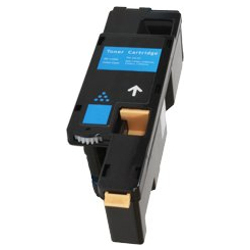
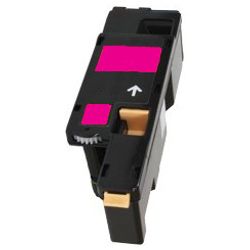

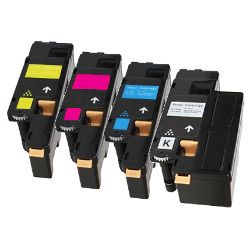

Expected page output and replacement cycles
Page yields for Dell D1250 toners are measured under ISO/IEC 19798 testing standards based on 5% page coverage. The Black toner yields up to 2,000 pages, while each colour cartridge provides up to 1,400 pages.
| Cartridge Number | Type | Colour | Page Yield | Cost Per Page |
|---|---|---|---|---|
| D1250B | Standard | Black | 2,000 | $0.008 |
| D1250C | Standard | Cyan | 1,400 | $0.012 |
| D1250M | Standard | Magenta | 1,400 | $0.012 |
| D1250Y | Standard | Yellow | 1,400 | $0.012 |
Cost Per Page = Total Cartridge Price ÷ Page Yield (at 5% coverage). Prices based on Compatible cartridges.
Understanding compatible cartridges
Choosing compatible Dell D1250 toner cartridges offers a cost-effective alternative to OEM cartridges without compromising print stability. Under Australian Consumer Law, using compatible cartridges does not void your printer warranty. Read our guide comparing genuine vs compatible cartridges to learn how third-party options perform.
Smart ordering and rapid dispatch
If you print mainly text documents, purchasing individual Black D1250B toner cartridges keeps single-unit expenses low. If you print colour graphics, selecting the full 4-pack toner bundle ensures balanced toner levels across all channels. All compatible cartridges come with a money-back guarantee under our returns policy if they fail to perform. Free delivery applies on all orders over $99. Orders dispatch rapidly from our warehouses in Perth, Brisbane, Sydney, Melbourne and Adelaide. Browse our full range of Dell toner cartridges today.
Pro Tip
Always replace colour toner cartridges as soon as low-toner warnings appear, because Dell printers pull faint amounts of Cyan, Magenta, and Yellow toner during calibration cycles even when printing text-only documents.
Compare Dell D1250 Dell Toner Cartridges
Save with Compatible Cartridges
Compatible cartridges are the lower-cost alternative to genuine toner: a single D1250B Black cartridge from $16.15 or a 5-pack D1250 for $76.70.
Frequently Asked Questions
Why does my Dell printer indicate low Cyan or Magenta when I only print text documents?
Dell printers execute automatic colour calibration routines upon startup and periodically during print runs. Small amounts of colour toner are consumed during these cycles to keep print alignment exact, even if your job contains no colour elements.
Do I need to replace the drum unit separately when changing Dell D1250 toner cartridges?
No, Dell 1250c and 1350 series printers use electrophotographic mechanisms where the toner cartridge houses the necessary transfer components for standard replacement cycles, so you only need to swap the individual toner cartridges.
Can I replace just one colour cartridge while keeping the remaining original toners installed?
Yes, compatible D1250 series cartridges are designed to operate alongside other installed toners, allowing you to replace individual Black, Cyan, Magenta, or Yellow units as each empties.
Is D1250B the same as D1250 Black?
Yes, D1250B is simply the specific cartridge part number for the Black toner cartridge in the Dell D1250 series, with the 'B' designating the Black colour code.


