
Canon CLI65 Ink Cartridges
Canon CLI65 ink cartridges deliver the 8-colour ChromaLife100+ dye ink system engineered for the Canon PIXMA PRO-200 and PIXMA PRO-200s. Featuring specialized Photo Cyan, Photo Magenta, Grey and Light Grey tanks alongside standard CMYK, these individual cartridges allow precise photo output and single-colour replacement. Our 4.8 Google Star rating shows that our customers consistently receive high-quality cartridges backed by reliable performance.
Printers Compatible with Canon CLI65 Ink Cartridges


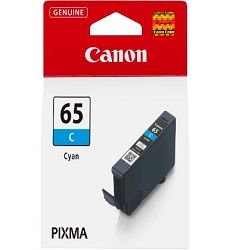

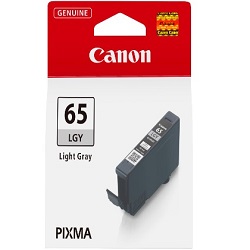


Compare Canon CLI-65 Ink Cartridges
Choose a Full Colour Multipack
Running low on every colour? The 8-Pack CLI-65 Genuine (from $172.14) replaces the full set in one order and qualifies for free delivery.
Replace Just One Colour
No need to replace every colour at once - a single Genuine CLI-65 Black cartridge (from $21.96) covers just the one that's run out.
Bulk Cartridge Options
For frequent printing, a larger pack cuts down on reorders. The 16-Pack CLI-65 Genuine (from $340.76) covers frequent printing with genuine ink. The genuine pack qualifies for free delivery.
How ink is used in the 8-colour Canon system
Page output for photo printing varies depending on image density, colour balance, and paper choice. In an 8-colour dye system, lighter shades like Light Grey and Photo Cyan deplete faster during continuous photo printing than standard Black or Yellow tanks. ISO/IEC 29103 testing standards govern photo yield metrics.
Ordering options and Australian dispatch
If you print high volumes of glossy prints or gallery proofs, multi-packs provide all eight colours in one shipment, reducing downtime when mid-tones run low. For occasional photo printing, replacing individual tanks as they empty avoids unneeded inventory. Our returns policy ensures peace of mind with every order. Orders are dispatched from warehouses in Perth, Brisbane, Sydney, Melbourne and Adelaide. Free delivery applies on all orders over $99. Browse our complete range of Canon ink cartridges for all models.
Pro Tip
Never leave an empty CLI-65 slot open in the printhead for more than a few minutes. Exposure to air can cause residual ink in the printhead micro-nozzles to dry out, leading to severe banding that requires heavy cleaning cycles to resolve.
Frequently Asked Questions
Why do Light Grey and Photo Cyan deplete faster than other CLI-65 colours?
Photo printing algorithms use lighter photo inks constantly to build smooth skin tones, subtle gradients, and highlights. Because Light Grey and Photo Cyan cover larger surface areas in light areas of an image, these cartridges empty sooner than full-density colours like Magenta or Yellow.
Can I run the printer if one CLI-65 colour tank is completely empty?
No. Canon PIXMA photo printers require all eight CLI-65 ink tanks to be installed with available ink to print. The thermal printhead uses liquid ink to cool the firing nozzles, so attempting to print with an empty channel risks permanent printhead damage.
What is the difference between CLI-65GY and CLI-65LGY?
CLI-65GY is a standard Grey ink, designed to balance mid-tones and improve black-and-white print contrast. CLI-65LGY is Light Grey, formulated specifically for delicate highlight transitions and reducing grain in neutral monochrome areas.
Is CLI-65 the same as CLI65?
Yes. CLI-65 and CLI65 refer to the exact same Canon ink series. The hyphen is simply standard manufacturer formatting, while both terms are used interchangeably by retailers and users.


