
Brother TN340 & Brother TN348 Toner Cartridges
Shop Brother TN340 and TN348 toner cartridges for compatible Brother colour laser printers. Choose from genuine Brother cartridges and cost-effective compatible options in black, cyan, magenta and yellow, with individual cartridges and multipacks available for different replacement needs. Our 4.8 Google Star rating shows that customers consistently receive reliable cartridge quality and service.
Printers Compatible with Brother TN340 & Brother TN348 Toner Cartridges


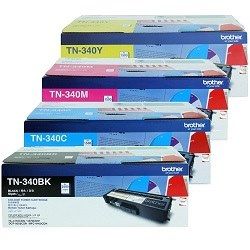


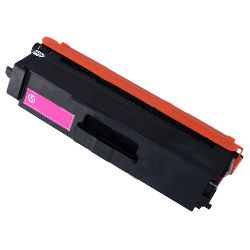


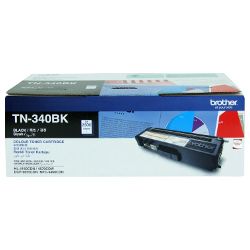

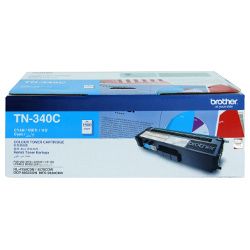


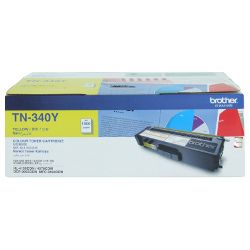


Choosing Brother TN340 and TN348 toner cartridges
Brother TN340 and TN348 toner cartridges are available in black, cyan, magenta and yellow for compatible Brother colour laser printers. The range includes individual cartridges for replacing a single colour, as well as multipacks for customers who need to replace several colours together.
Before ordering, check the cartridge number listed for your printer and confirm whether you need TN340 or TN348. Selecting the correct cartridge series helps avoid compatibility issues and ensures the toner fits the intended printer model.
| Cartridge Number | Type | Colour | Page Yield | Cost Per Page |
|---|---|---|---|---|
| TN-340BK | Standard | Black | 2,500 | $0.063 |
| TN-340C | Standard | Cyan | 1,500 | $0.11 |
| TN-340M | Standard | Magenta | 1,500 | $0.11 |
| TN-340Y | Standard | Yellow | 1,500 | $0.11 |
| TN-348BK | High Yield | Black | 6,000 | $0.044 |
| TN-348C | High Yield | Cyan | 6,000 | $0.073 |
| TN-348M | High Yield | Magenta | 6,000 | $0.073 |
| TN-348Y | High Yield | Yellow | 6,000 | $0.073 |
Cost Per Page = Total Cartridge Price ÷ Page Yield (at 5% coverage). Prices based on Genuine cartridges.
Genuine and compatible Brother toner options
Choose from genuine Brother TN340 and TN348 toner cartridges or cost-effective compatible alternatives. Genuine cartridges are manufactured by Brother, while compatible toner provides another option for everyday colour documents, reports and office printing.
Under Australian Consumer Law, using a compatible cartridge does not automatically void your printer warranty. Read our genuine vs compatible cartridges guide for more information about comparing the available options.
Replacing individual toner colours
Brother colour laser printers use separate black, cyan, magenta and yellow toner cartridges. This allows you to replace only the colour that has run low rather than changing the complete set each time.
If several cartridges are approaching replacement, a TN340 or TN348 multipack can simplify ordering and help keep spare toner available. Individual cartridges remain a practical choice when only one colour needs replacing.
Ordering Brother TN340 and TN348 toner
Shop individual toner cartridges and multipacks according to your printer compatibility and replacement requirements. Compatible cartridges are covered by our returns policy.
Free delivery applies on orders over $99, with fast dispatch available across Australia. Browse our complete range of Brother toner cartridges for other Brother printer models and toner series.
Frequently Asked Questions
What is the difference between Brother TN340 and TN348 toner cartridges?
Brother TN340 and TN348 are toner cartridge series used by selected Brother colour laser printers. Compatibility and cartridge capacity can vary, so check the supported toner number for your exact printer model before ordering.
Are Brother TN340 and TN348 cartridges available in all colours?
Yes. The range includes black, cyan, magenta and yellow toner cartridges, allowing each colour to be replaced separately when required.
Can I buy compatible Brother TN340 and TN348 toner cartridges?
Yes. Genuine Brother and compatible options are available. Compatible cartridges provide a cost-effective alternative for regular office and colour document printing.
Should I buy individual cartridges or a multipack?
Choose an individual cartridge when only one colour is low. A multipack may be more convenient when several colours need replacing or when you want to keep spare toner available.
How do I confirm that TN340 or TN348 fits my printer?
Check the toner number shown in your printer manual, on the existing cartridge or in the compatibility information listed on the product page. Confirming the exact printer model before ordering helps prevent selecting the wrong cartridge series.


