
Brother TN1070 Toner Cartridges
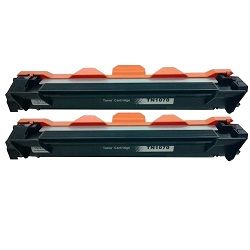
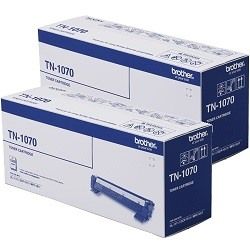
Shop Brother TN1070 toner cartridges for compatible Brother monochrome laser printers. The range includes genuine Brother and premium compatible standard-yield options, along with convenient twin packs for keeping a spare cartridge available. Compatible alternatives can help reduce everyday printing costs, while twin packs suit homes and offices that want to avoid running out during regular document printing. Our 4.8 Google Star rating shows that our customers consistently receive high-quality cartridges backed by reliable performance.




Brother TN1070 toner cartridge yield
Brother TN1070 toner cartridges are rated to produce up to 1,000 pages under ISO/IEC 19752 testing conditions. Actual output can vary depending on page coverage, print settings and the type of documents being printed. Pages containing bold text, shaded areas, graphics or dense spreadsheet content will generally use toner more quickly than standard text documents.
| Cartridge Number | Type | Colour | Page Yield | Cost Per Page |
|---|---|---|---|---|
| TN-1070 | Standard | Black | 1,000 | $0.085 |
Cost Per Page = Total Cartridge Price ÷ Page Yield (at 5% coverage). Prices based on Genuine cartridges.
Genuine and compatible TN1070 cartridges
Choose from genuine Brother TN1070 toner cartridges and cost-effective compatible alternatives. Genuine cartridges are manufactured by Brother, while compatible options provide another choice for everyday black-and-white printing at home or in a small office.
Under Australian Consumer Law, using a compatible cartridge does not automatically void your printer warranty. Compatible toner purchases are also covered by our money-back guarantee. Read our genuine vs compatible cartridges guide for more information about comparing the available options.
Choosing single cartridges or twin packs
A single TN1070 cartridge suits occasional printing or customers replacing one empty toner. Twin packs provide a convenient option for regular users who want to keep a spare cartridge available and reduce the risk of running out during an important print job.
Before ordering, check that TN1070 is listed as compatible with your exact Brother printer model. The TN1070 range is supplied in one standard-yield capacity rather than separate standard and high-yield versions.
Replacing the TN1070 toner and DR1070 drum
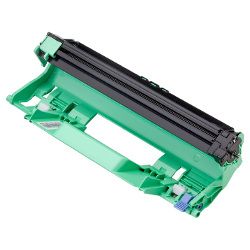
The Brother TN1070 toner cartridge fits inside a separate DR1070 drum unit. These consumables have different replacement cycles, so the drum should not be discarded each time the toner runs out.
When the printer displays a toner warning, replace the TN1070 cartridge and retain the existing drum unless the printer also shows a drum warning or ongoing print-quality problems indicate that the drum may be worn.
Ordering Brother TN1070 toner cartridges
Shop genuine and compatible TN1070 toner cartridges in single-cartridge and twin-pack options. Incorrectly ordered items can be returned in accordance with our returns policy.
Free delivery applies on orders over $99, with fast dispatch available across Australia from warehouses in Perth, Brisbane, Sydney, Melbourne and Adelaide. Browse our full range of Brother toner cartridges for other Brother printer models and toner series.
Frequently Asked Questions
How many pages does a Brother TN1070 toner cartridge print?
The Brother TN1070 is rated to produce up to 1,000 pages under ISO/IEC 19752 testing conditions. Actual yield varies according to toner coverage, document type and printer settings.
Is there a high-yield TN1070XL cartridge?
No. The Brother TN1070 series is supplied as a standard-yield cartridge rated for up to 1,000 pages. It is not offered as a separate TN1070XL high-yield version.
Do I replace the DR1070 drum with every TN1070 cartridge?
No. The DR1070 drum unit is a separate consumable and normally lasts through multiple toner replacements. Replace it only when the printer displays a drum warning or when persistent print-quality issues indicate that it may be worn.
Why does my printer still show a toner warning after installation?
Remove the toner and drum assembly, confirm that the TN1070 cartridge is seated securely inside the DR1070 drum unit and reinstall the assembly carefully. If the message remains, follow the toner-reset or troubleshooting instructions for your specific Brother printer model.
Should I buy a single TN1070 cartridge or a twin pack?
A single cartridge is suitable for lighter or occasional use. A twin pack is more convenient for regular printing because it allows you to keep a replacement cartridge ready when the installed toner runs out.


