
Which Labels Should You Use? Shipping, Colour Dots, Clear & Heavy-Duty Labels Compared

Pick the label for the job, then make sure it matches your printer. Parcels need shipping labels, and filing or stocktakes need colour dots. Clear labels are for jars and products, while heavy-duty labels handle outdoor, cold or harsh conditions.
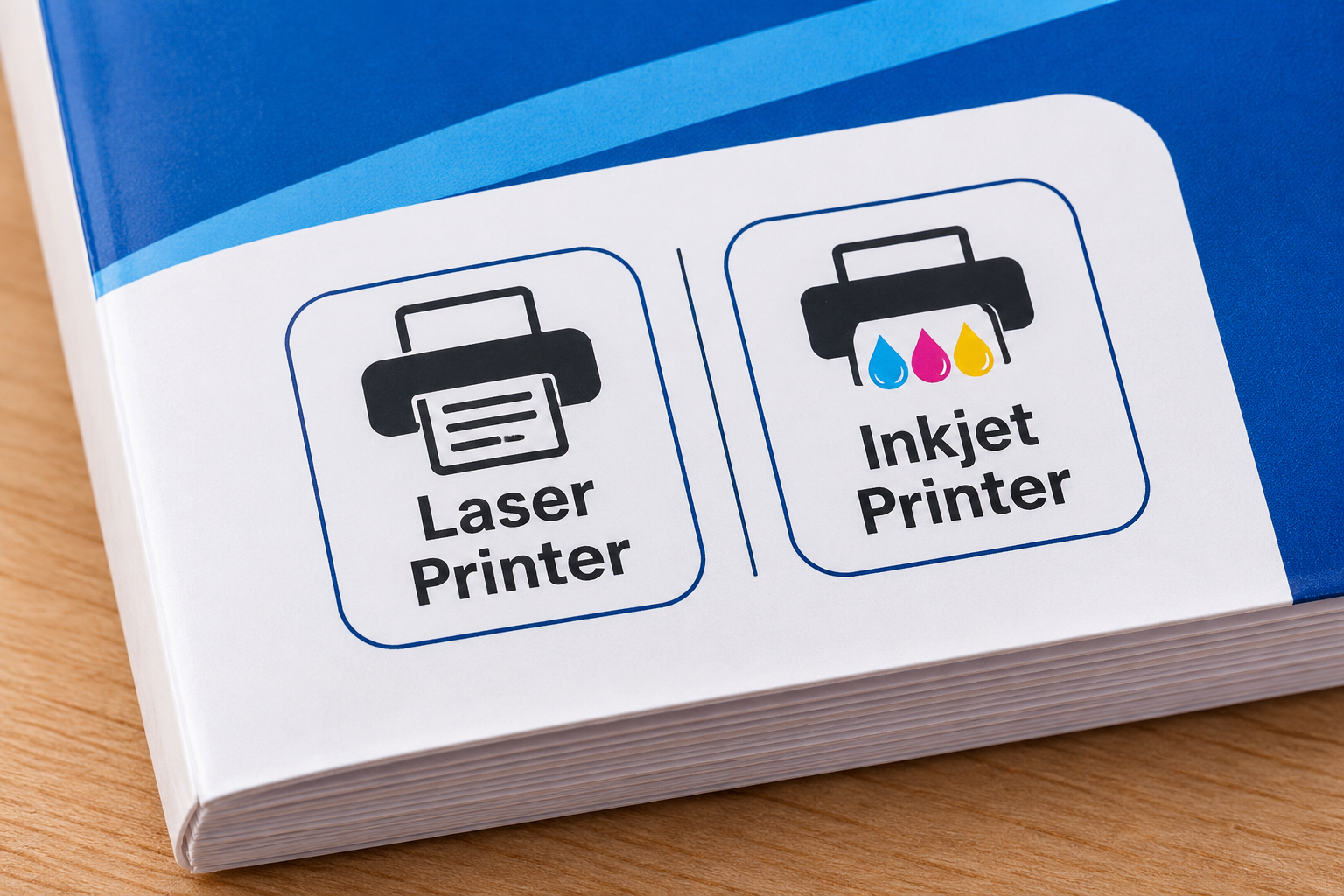
Laser labels go in laser printers and inkjet labels go in inkjet printers, unless the pack says it works in both. Put the wrong type through and it can smear, discolour or even melt in the printer.
This guide is about printable sheet labels, the kind you feed through an ordinary home or office printer, plus dot stickers you apply by hand. Avery ranges appear as examples throughout because Avery publishes detailed specs for each one. When you know what you're after, browse Ink Depot's printable labels and labelling supplies, which include a range of Avery labels.
Start here: is your printer inkjet or laser?
Laser and inkjet printers get an image onto a label in completely different ways, which is why label sheets are made for one or the other. A laser printer uses heat to fuse toner to the page, and laser labels are built to cope with it. An inkjet sprays liquid ink instead, so inkjet labels carry a coating that absorbs the ink and helps it dry. Avery's guide to labels by printer type covers the construction in more detail.
Buy labels marked for laser. Inkjet labels aren't made for the heat and can discolour or melt.
Buy labels marked for inkjet. Without the absorbent coating, a laser label leaves the ink sitting on top, where it smears.
Important: A label sheet that isn't made for laser printers can melt or lift inside one and may damage the printer. If the pack doesn't mention laser printers, keep it out of yours.
The pack is the quickest place to find out. Avery marks its packs with a pink "Laser" or blue "Inkjet" bar, and some carry both. Other brands do it their own way, so go by the description of the exact label you're buying, not one that looks similar.
Not sure which printer you have? Our guide to inkjet vs laser printers compared explains how to tell them apart. Thermal label printers are different again. They print on their own rolls, and those rolls can't be swapped with A4 inkjet or laser sheets.
Shipping labels for parcels
A parcel label has two jobs. The address has to be readable and the barcode has to scan. At home, most people print onto A4 shipping label sheets in the printer they already have, and two things are worth getting right. The print setting should match the sheet, and on a re-used box the new label needs to cover the old markings.
Matching labels to Australia Post print settings
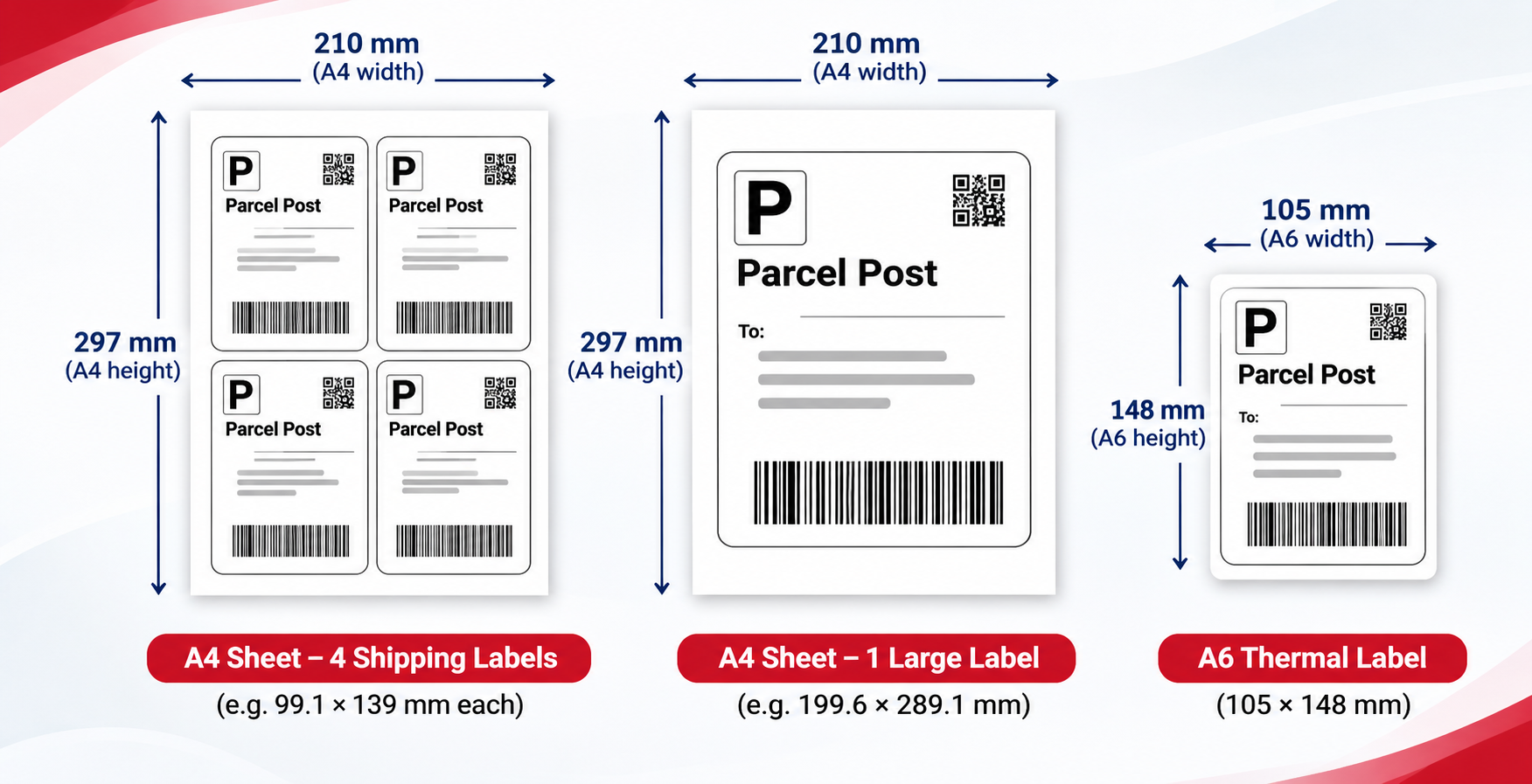
In MyPost Business, Australia Post gives you three label layouts. You can print four labels to an A4 page, one label to an A4 page, or A6 labels for thermal and DYMO label printers, though international labels print on A4 only. Australia Post walks through the options in its tips for printing shipping labels.
Whichever layout you pick has to match the sheet loaded in your printer. If it doesn't, or the page has been scaled to fit, the address and barcode can end up straddling the label edges.
- Choose the layout: Set MyPost Business to four labels per page or one label per page, depending on your sheets.
- Do a plain-paper test: Print a page on ordinary paper at actual size, with no "fit to page" scaling. Hold it over a label sheet and make sure the address and barcode sit inside the labels.
- Print for real: Load a label sheet made for your type of printer and print.
Opaque labels for re-used boxes
Re-using cartons saves money, but a thin label can let the old address or barcode show through. Avery's TrueBlock labels have an opaque backing designed to hide what's underneath, leaving only the new details visible. Barcodes are the main worry, since a courier's scanner shouldn't be given two to choose from. Not every shipping label is made this way, so if you re-use boxes a lot, look for an opaque backing on the pack.
Sending parcels most days? A thermal label printer (the A6 option in MyPost Business) may be a better fit than sheets. Our guide to the best label makers and label printers compares options, or you can go straight to label makers and label printers.
Colour dot labels for coding and stocktakes
Colour dots let you sort things at a glance. In an office they might flag priority files, colour-code a filing system by year or client, or mark items already counted in a stocktake.
Before buying, work out whether the dots need printing at all. Dispenser rolls are applied by hand and never go near a printer, which makes them handy for quick ticks and fast changes. Printable sheets come into their own when each dot has to carry a number, date or code, and some work in both printer types. Avery's 25 mm assorted dot stickers (932295), for example, are listed for laser and inkjet printers.
Colour coding falls apart when people read the colours differently. If red means "urgent" to one team and "done" to another, nobody can trust the system. Stick to a handful of colours and write the key down where people work. Where a mix-up would cause real trouble, add a written code beside the dot.
Those Avery 25 mm dots use a permanent adhesive. That's fine on files and boxes that won't be re-sorted, but dots on a planning board need to move, so look for a pack described as removable.
Clear labels for jars, products and a printed-on look
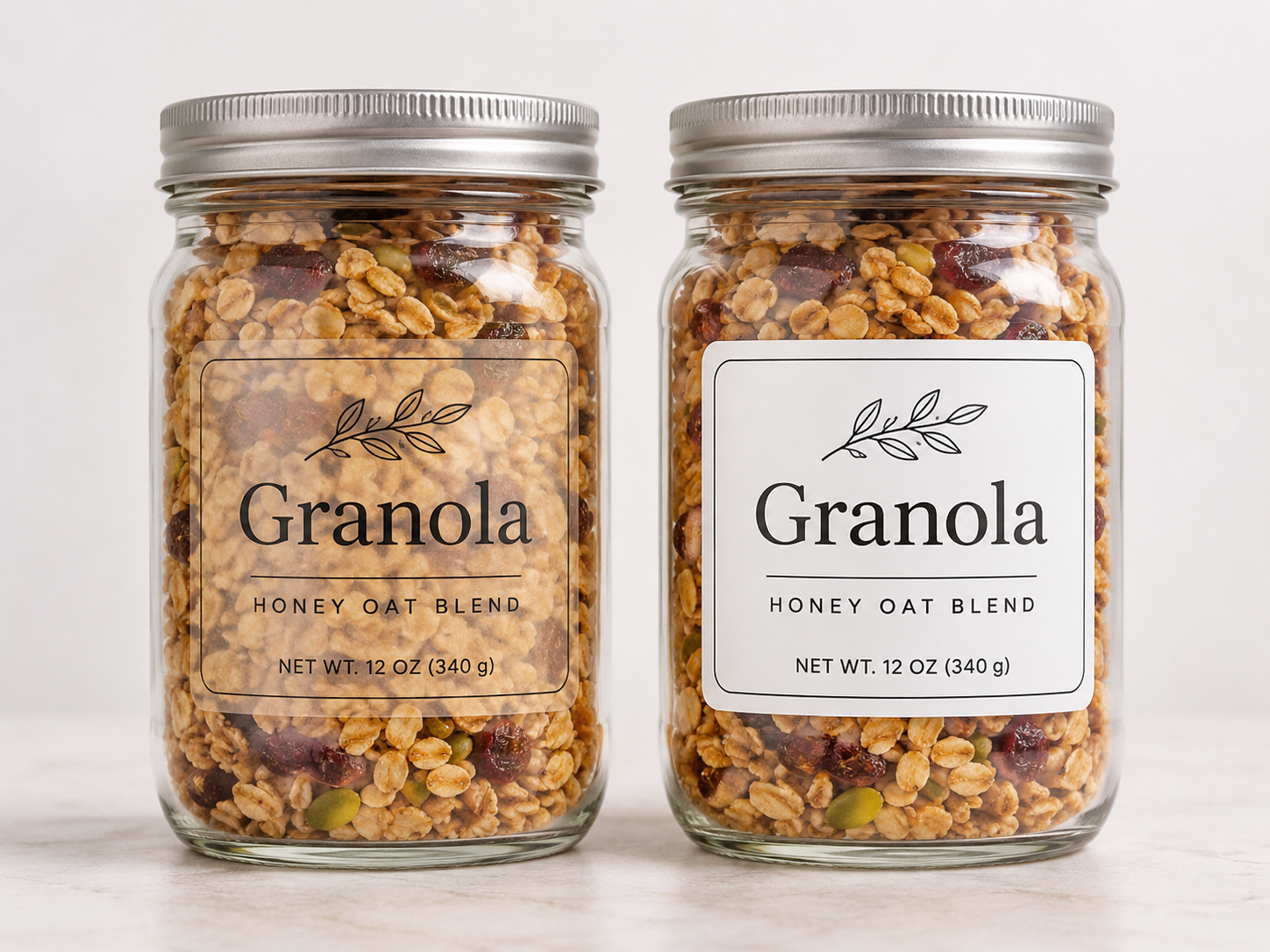
On a glass jar or a product pack, a clear label lets the surface show through and looks almost printed on. Avery says its clear labels "virtually disappear" on white and coloured surfaces. There's more than one kind of clear, though. Avery also makes frosted clear labels, which look different, and the printer marking matters on whichever finish you go for.
The catch is contrast. Dark text on a clear label is easy to read on a light, plain surface. On dark glass or dark contents it can be hard to make out, and a white label gives a more predictable result. Print one and look at it on the actual container before doing the whole batch.
Printer type matters here too. The Avery Crystal Clear shipping labels checked for this guide (959066) are clear polyester and made for laser printers only. Inkjet owners should look for a clear pack marked for inkjet, or switch to a white label, which may print more reliably.
Heavy-duty labels for outdoor, cold and tough conditions
One "heavy-duty" range can be rated very differently from another, so the words on the pack are only a starting point. Two Avery products show how wide the gap can be.
| Product | Printer type | Material | Listed temperature range | Other listed features |
|---|---|---|---|---|
| Avery White Heavy Duty labels (936069, template J4773) | Inkjet only | Polyester | −20 °C to +80 °C | Waterproof, tear-proof; resists dirt, oil and UV |
| Avery Ultra Heavy Duty labels (959245, template L7916) | Laser only | Polyethylene (PE) film | −40 °C to +150 °C | Saltwater-proof; resists chemicals, abrasion, UV, heat, dirt and oil |
Both labels use an extra-strong permanent adhesive. The wider temperature rating belongs to the Ultra Heavy Duty range, not to laser printing as such. Because that range is laser-only, though, an inkjet owner who needs it for a freezer, cold room or hot equipment will have to print it on a laser printer. At everyday outdoor temperatures, the inkjet Heavy Duty rating may be all you need.
Australian sun is hard on labels. Both products list UV resistance, yet how long a label survives outside comes down to how exposed it is. Read the wording closely, because a waterproof label and a water-resistant one are making different promises, and a tough film says nothing about how well the adhesive grips. Edges can lift on rough or tightly curved surfaces, so stick one on the real surface before you label every piece of equipment.
When labels go wrong
Buying a tougher label won't help if the real fault is in the printing. Match the symptom to the cause first.
- Print that smudges or smears usually means the label isn't made for your printer type. Look at the marking on the pack, and let inkjet labels dry before you handle them.
- If text runs over the label edges, the layout or scaling is wrong for the sheet. Pick the right layout, print at actual size and try it on plain paper first.
- Lifting corners point to the surface or the adhesive rather than the print. A clean, smooth surface helps, and curved or textured ones need a trial label first.
- Labels that are hard to read have a contrast problem. Swap clear for white, or try a darker print setting.
Quick guide: which label for which job
Here's the short version.
| Job | Label to look for | Printer check | Watch for |
|---|---|---|---|
| Parcels and shipping | Shipping labels in the layout you print (A4 four-up or one-up) | Match laser or inkjet; A6 needs a thermal label printer | Opaque labels if re-using boxes |
| Filing, priority flags and stocktakes | Colour dot labels | Dispenser dots need no printer; some printable dots work in both types | A written colour key; permanent or removable adhesive |
| Jars, bottles and product packaging | Clear labels | The clear range checked here is laser-only | Low contrast on dark surfaces |
| Outdoor, cold or harsh conditions | Heavy-duty labels | Ratings differ between ranges; the toughest range checked is laser-only | Listed temperature range, exact water and UV claims |
Once you know the type you want, compare packs in our labelling supplies range.
Frequently Asked Questions
Can I use laser labels in an inkjet printer?
No. A laser label has no coating to absorb inkjet ink, so the ink sits on the surface and smears. Stick with labels made for inkjet printers, or a pack marked for both.
Can I print Australia Post labels on an inkjet printer?
Yes. MyPost Business prints on A4 sheets at four labels or one label per page, and inkjet label sheets work for that. Set it to match your sheets, and run a plain-paper test page first.
Are clear labels printable on inkjet printers?
Some are. The Avery Crystal Clear shipping labels checked for this guide are laser-only, so if you have an inkjet, look for a clear pack that's marked for inkjet.
Are heavy-duty labels waterproof?
Not all of them, which is why the exact wording on the pack matters. Avery calls its White Heavy Duty inkjet labels (936069) waterproof, and lists its Ultra Heavy Duty laser labels (959245) as saltwater-proof and chemical-resistant. "Water-resistant" on its own is a weaker claim.
What's the difference between permanent and removable labels?
Permanent adhesive is designed to stay put, which is what you want on files and parcels. Removable adhesive is designed to come off later, so it's better for temporary jobs like planning boards. How either behaves depends on the surface, so see which surfaces the pack lists and try removing one before you label widely.
Do colour dot stickers need a printer?
No. Dispenser rolls go on by hand. You only need printable dot sheets if each dot has to show printed details, such as a code.
Do I need a label printer instead of label sheets?
Not for occasional jobs, since A4 label sheets work in the printer you already own. If shipping labels are a daily task, a thermal label printer may be a better fit, and you can compare models in our label maker guide.


Any comments?