
How to Reduce Laser Printer Running Costs: An Australian Guide

The fastest ways to reduce laser printer running costs are choosing high-yield or quality-checked compatible toner, enabling duplex printing, switching to draft mode for internal documents, and not replacing cartridges the moment a "toner low" warning appears.
The main trade-off is print density. Settings that save toner can lighten text, so test changes on non-critical documents before rolling them out everywhere.
Why laser running costs creep up
Running costs on a laser printer rarely show up as one big expense. They build in overlapping ways instead. Toner is the line most owners fixate on, but the full picture also includes drum unit wear, cartridges replaced earlier than necessary, and print settings left on factory defaults since the day the printer was set up.
If you haven't worked out how to calculate your cost per page, do that first. Without a baseline, it's hard to tell whether a change below actually saved money or just felt like it did.
Choose the right toner: genuine, compatible or high-yield
Toner choice is usually the biggest lever available, and it isn't only about genuine versus compatible: cartridge yield matters just as much.
Made by the printer manufacturer and matched exactly to your model. Typically the highest per-unit cost, with no compatibility guesswork.
Third-party cartridges built to the same output spec, usually cheaper upfront. Quality depends on the supplier, so it's worth buying from a retailer with a track record for backing what it sells.
Hold more toner than a standard cartridge for a higher upfront price. Usually lowers cost per page over the cartridge's life; check the yield rating listed for your specific model.
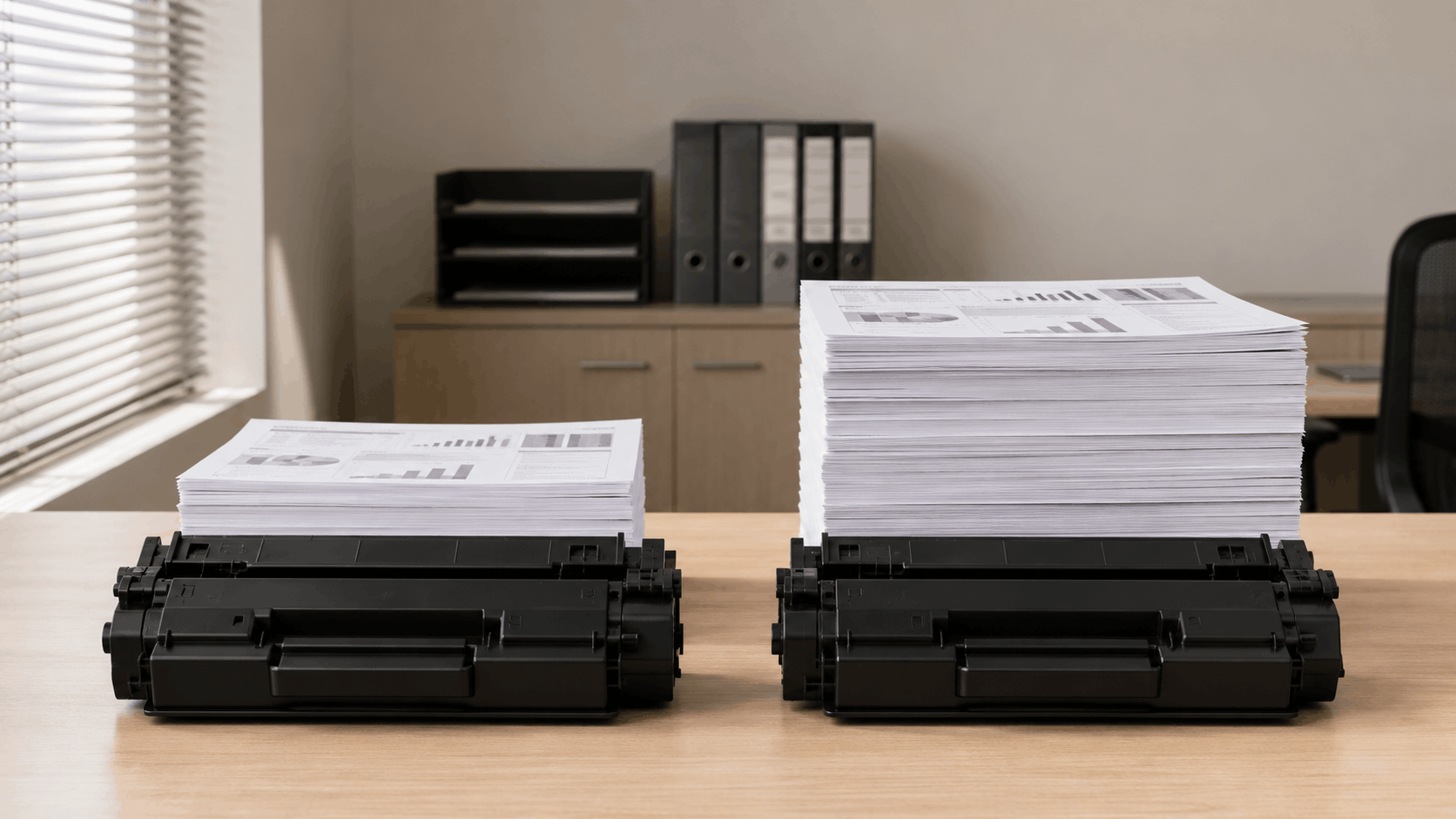
| Factor | Standard toner | High-yield toner |
|---|---|---|
| Upfront cost | Lower purchase price | Higher purchase price |
| Pages per cartridge | Lower rated yield | Higher rated yield |
| Best suited to | Light, occasional printing | Regular or higher-volume printing |
Keep in mind that yield ratings are based on an assumed page coverage of around 5%, similar to a fairly sparse business letter. Image-heavy pages, dense tables, and dark backgrounds all use more toner than that baseline. If you print that kind of content regularly, treat the rated yield as a ballpark rather than a guarantee, and compare cartridges against your own typical usage where you can.
For a fuller comparison, see genuine vs compatible toner cartridges or read the difference between genuine and compatible cartridges if you want the detail behind the trade-offs above.
Print settings that actually save toner
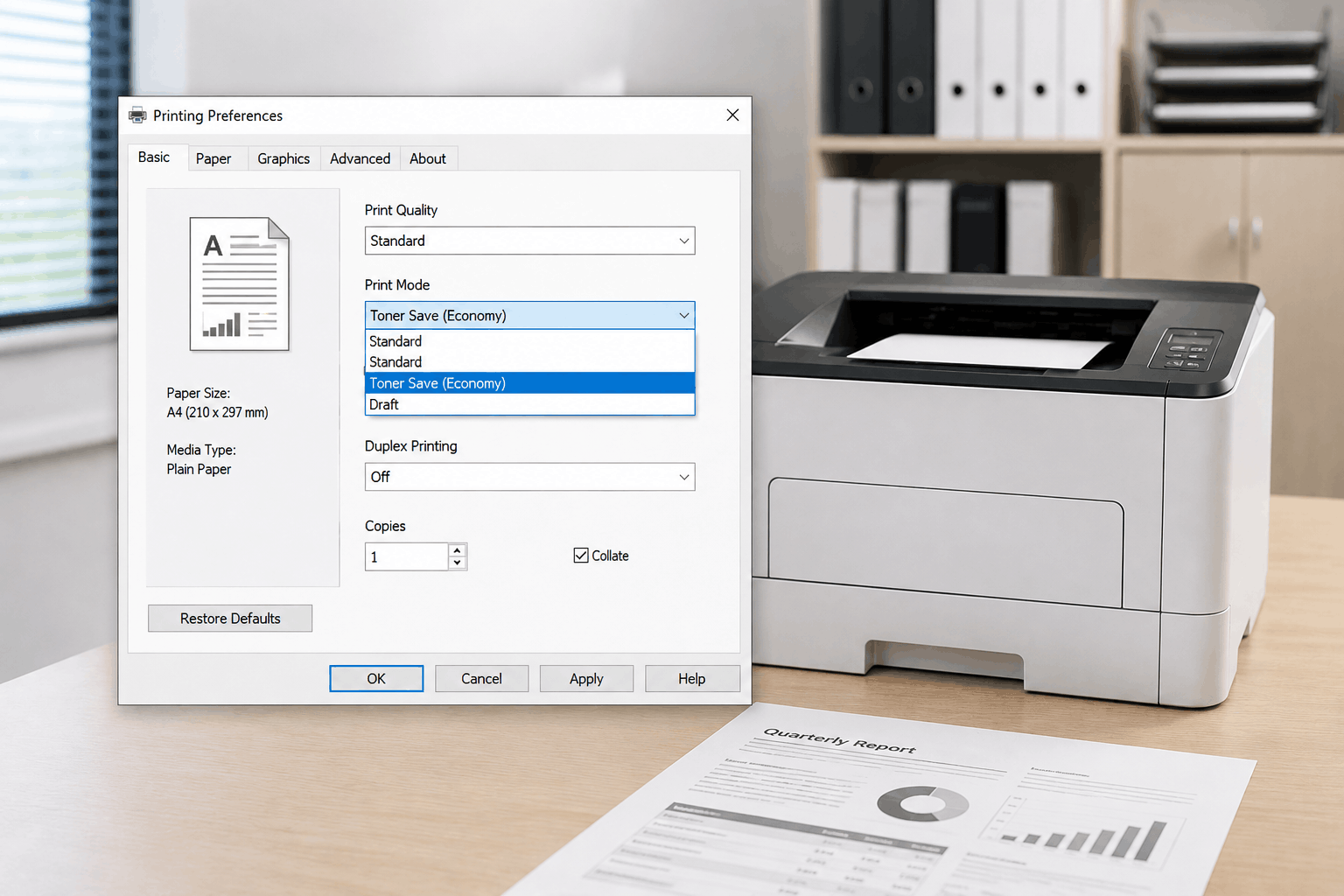
Most laser printer drivers include a draft, economy, or toner-save mode that reduces the amount of toner laid down per page. It's a genuine cost lever, but it comes with a real trade-off: lighter text.
Draft mode is generally fine for internal working documents you'll skim once and bin. It's a riskier choice for anything client-facing, anything that will be scanned later, or anything you're archiving. Lighter toner coverage can be harder to read, and it can fade or scan poorly over time. Test it on something disposable first, not on the document that actually matters.
Font choice plays a smaller but real role too: heavier, more decorative fonts use more toner per page than plain, narrow ones. It's a minor saving on its own, but it costs nothing to switch for internal documents.
Duplex and paper habits
Automatic duplex (double-sided) printing halves the paper you use for anything that doesn't need to be single-sided, which adds up quickly for anyone printing regularly. If your printer supports it, set duplex as the default rather than something you switch on per job, so there's no chance of forgetting.
Get back in the habit of using print preview too. A single misformatted page that spills onto an extra sheet, multiplied across a busy office, is a small but genuinely avoidable cost.
Maintenance that prevents wasted pages and premature replacements
Two maintenance habits quietly affect running costs more than most people expect.
Toner timing is one of them. A "toner low" warning is deliberately conservative, and most laser printers keep producing usable output well past the first alert. Replacing a cartridge the moment the warning appears, rather than when print quality actually starts to drop, is a common way to waste toner that was still perfectly usable.
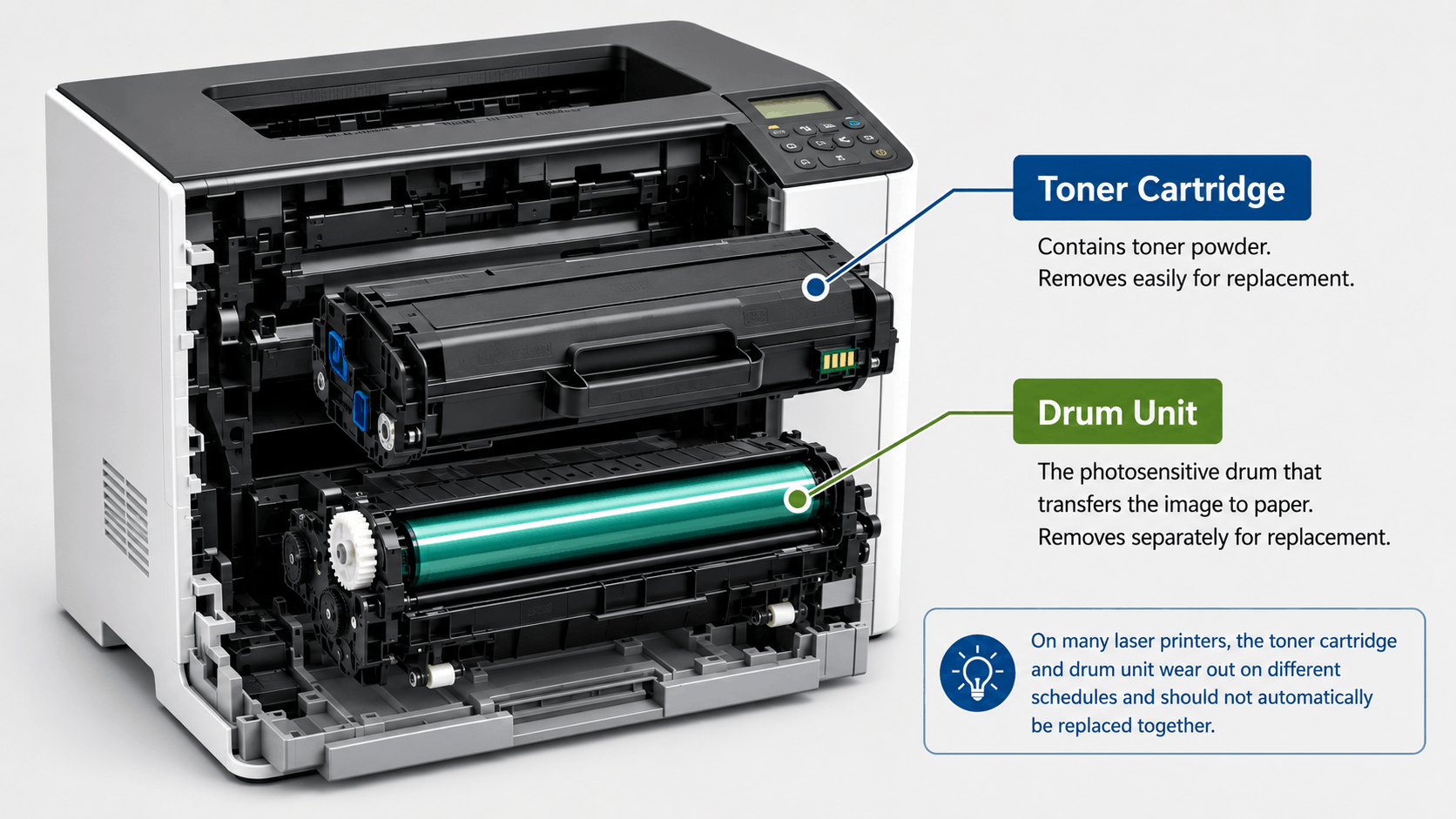
Knowing what you're actually replacing is the other. On many laser models, the toner cartridge and the drum unit are separate consumables with different lifespans and different replacement schedules. Swapping both together out of habit, rather than checking whether the drum genuinely needs replacing, can mean paying for a part you didn't need yet. Your printer's manual is the reliable source for its specific interval; there isn't a universal figure that applies across brands and models.
Basic internal cleaning also matters. A dusty or clogged printer can misfeed or produce marks that waste whole pages, so check inside if you notice new streaks or spots appearing. When a cartridge does reach end of life, recycle it rather than binning it: see Ink Depot's cartridge recycling options.
When it's the printer, not the toner
Sometimes toner strategy isn't the problem. The printer itself is. Older laser printers can be genuinely less efficient than current models, with higher per-page toner draw or a lack of settings like automatic duplex or economy mode altogether. If you've worked through toner choice, settings, and maintenance and costs are still high for your volume, the printer itself may be the reason.
That's not a case for replacing a working printer on a whim; check the numbers if yours is old and heavily used, and decide from there. When it does make sense to look, our range spans mono and colour laser options, so you can compare running-cost profiles rather than guessing: browse laser printers at Ink Depot.
See our related guide on inkjet vs laser: which is right for you if you're weighing up printer type rather than just running costs.
Frequently Asked Questions
Does draft mode ruin print quality?
Not for everyday internal documents, but it can visibly lighten text and fine detail. It's a reasonable default for drafts you'll skim once, and a poor choice for anything client-facing, scanned, or archived.
Are compatible toner cartridges as good as genuine?
A quality-checked compatible cartridge from a reputable supplier can perform comparably to genuine toner at a lower price. Quality varies by supplier, so buy from a retailer that stands behind what it sells. See our full comparison of genuine vs compatible toner for more detail.
How often should I clean my laser printer?
There's no single interval that suits every model. Check your printer's manual for its recommended cleaning schedule. As a general habit, take a look if you notice new streaks, spots, or paper jams creeping in, since dust build-up is a common and easy-to-fix cause.
Is it cheaper to replace toner early when the "low" warning appears?
Usually not. The warning is conservative by design, and most printers keep producing usable output well past it. Replacing early often means throwing out toner that still had life left.
Does a drum unit need replacing at the same time as toner?
Not necessarily. On many laser models, the toner cartridge and drum unit are separate parts with different lifespans. Check your printer's manual for its specific replacement schedule rather than assuming they're due together.


Any comments?